File Information
Quickly inspect useful file details including full path, size, timestamps, extension, and attributes.

MSK Software
FreeRightOps brings practical Windows administration tools directly into the native Windows 11 File Explorer context menu.
Instead of opening separate utilities, command prompts, PowerShell windows, or administrative consoles, RightOps lets you work directly from the file or folder you already have selected.
Built for Windows workflows
RightOps is designed around a simple idea: select what you want to work with, right-click it, and choose what you want to do.
See RightOps in action
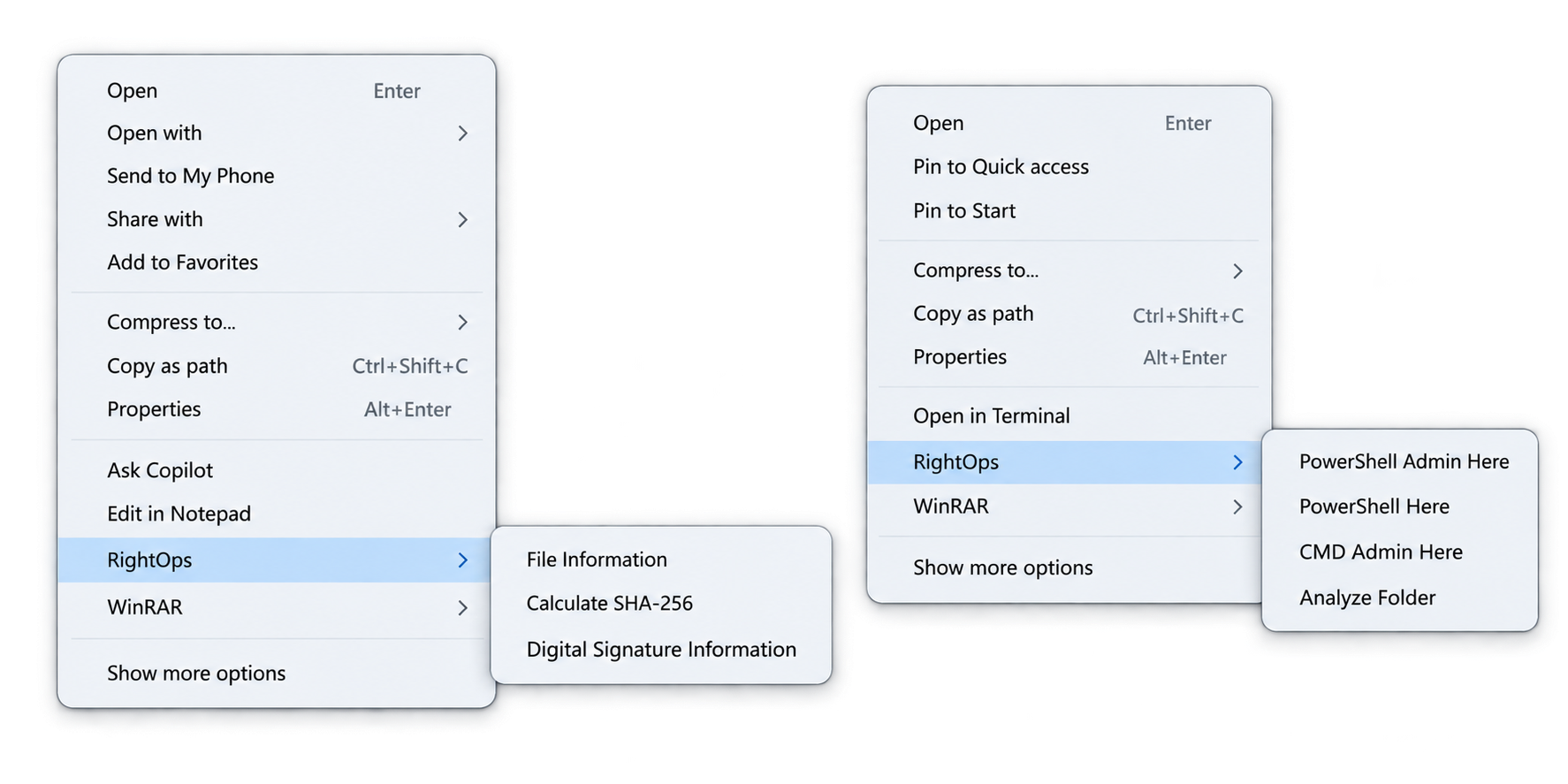
RightOps keeps common IT and administrative tools close to the files, folders, and systems you are already working with.
RightOps Free
Common Windows administration tasks are available directly from the file or folder you are already working with.
Quickly inspect useful file details including full path, size, timestamps, extension, and attributes.
Calculate the SHA-256 hash of a selected file directly from the RightOps context menu.
View signing certificate information including subject, issuer, validity dates, and thumbprint.
Launch executable files with administrator privileges through the standard Windows UAC flow.
Launch an executable using another Windows account without building custom credential prompts.
Open PowerShell directly in the selected folder without manually navigating to the directory.
Launch an elevated PowerShell session with the selected folder already set as the working directory.
Open an elevated Command Prompt directly inside the selected folder.
Inspect total folder size, file count, folder count, and the largest files inside a directory.
Native Windows integration
RightOps integrates directly with the modern Windows 11 File Explorer menu. There is no need to open the legacy “Show more options” menu.
RightOps automatically shows tools that make sense for the selected file or folder while keeping unrelated actions out of the way.
Your menu, your workflow
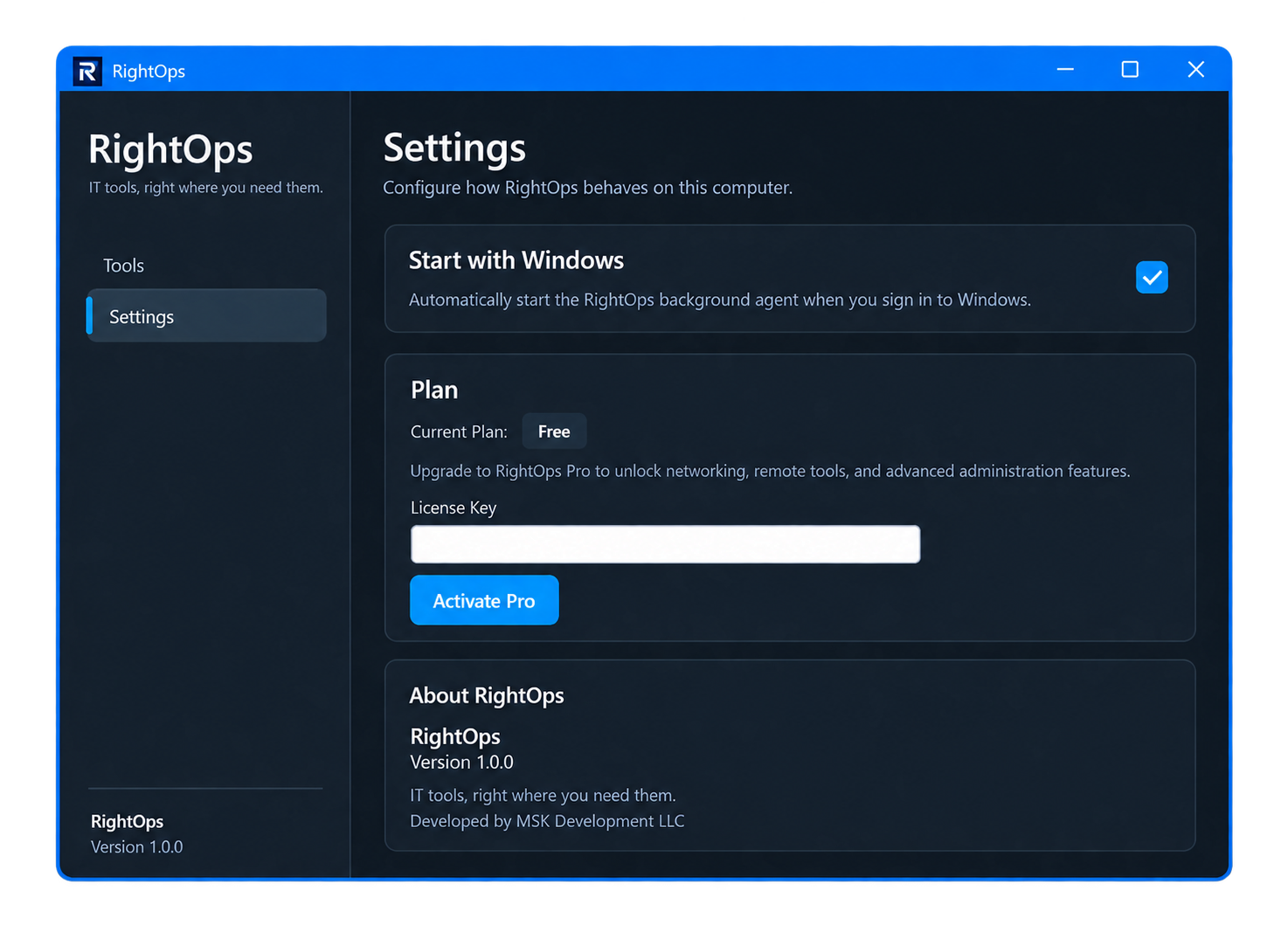
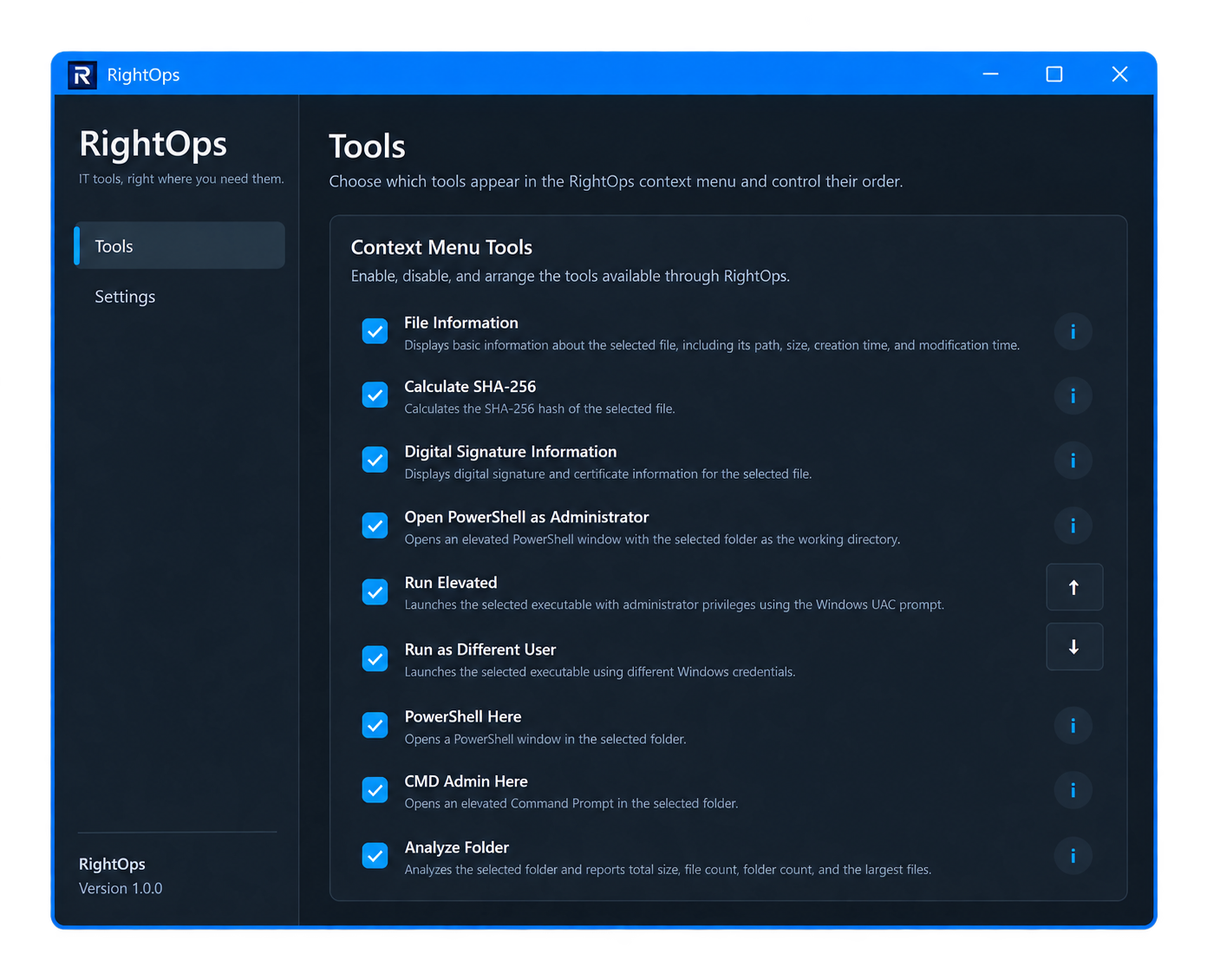
Every RightOps tool can be enabled or disabled from the application settings.
Tool ordering can also be customized so the actions you use most often appear exactly where you want them.
RightOps plans
RightOps Free focuses on practical local Windows tools. RightOps Pro will extend the platform into broader IT administration and networking workflows.
Core File Explorer tools for Windows administrators, technicians, power users, and IT professionals.
Advanced tools, custom workflows, and broader administration features for technicians and professional IT environments.
System requirements
Privacy by design
RightOps Free performs its current file, folder, hashing, certificate, and administrative operations locally on your Windows computer.
Application settings and diagnostic logs are stored locally. The current version does not intentionally transmit those logs, file information, hashes, or settings to MSK Development.
RightOps 1.0.3.0
RightOps Free is available now for 64-bit Windows 11 systems.
Download verification
Please complete the verification below to continue to the RightOps download.